


FontStudio
Graphics & DesignTurn Handwriting Into Fonts
Draw your letters with Apple Pencil or scan a printed handwriting sheet, refine every curve, then export a real TTF, OTF, or WOFF — all on your device.
Your Handwriting, Your Font
Sketch every character with Apple Pencil or your finger on a pressure-sensitive canvas, with four nib profiles and guides for baseline, x-height, and cap height.
Write With Your Own Font
The type tester compiles your font and renders live text in it — pangrams, capitals, numerals, and punctuation, at any size, in light or dark.
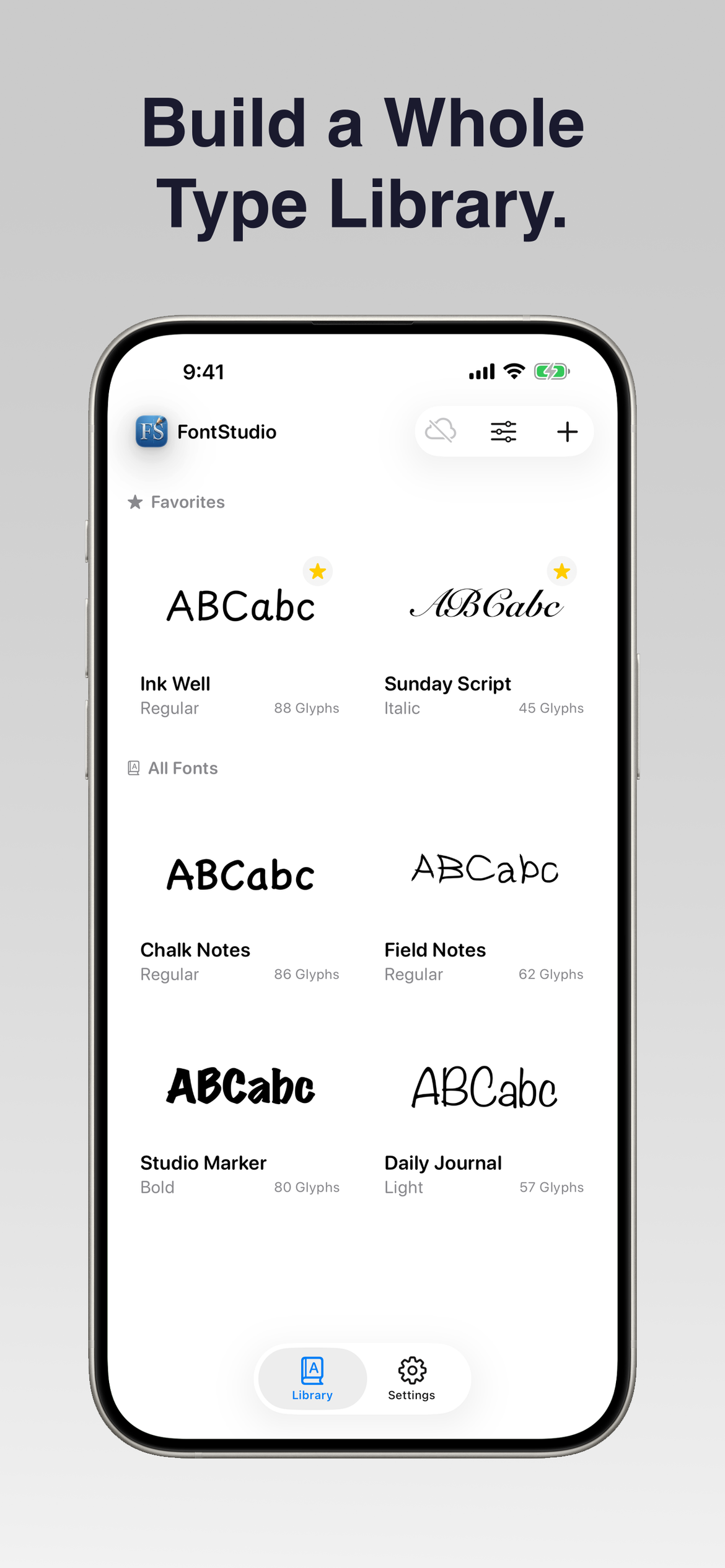
Build a Whole Type Library
Every font in your library shows a live specimen drawn from your own letters, with favorites, glyph counts, and variants for building a whole family.
Export TTF, OTF and WOFF
Export a real TrueType, OpenType, or WOFF file with kerning tables compiled in — ready to install on iPhone, iPad, Mac, and Windows, or drop into a website.
Every Letter, Tracked
A coverage grid shows every glyph in your own hand and tracks exactly which characters are done, so you always know what is left to draw.
Edit Curves Node by Node
Edit true outlines with anchor points and bezier handles: switch nodes between corner and smooth, add or delete points, and move or rotate whole selections.

Nudge Every Letter Pair
Drag a pair closer or further apart, or dial it in with the slider — with suggestions like AV, To, and LT, and every adjusted pair kept in one list.

Balance Every Letterform
Set left and right side bearings per letter with a live proof of its neighbors, so the rhythm between letters stays even across the whole alphabet.

Print, Write, Scan It In
Generate a printable sheet ruled with your font's own metrics, write the letters by hand, then scan the pages and import a full alphabet at once.

Start a Font in Seconds
Pick which characters your font covers — capitals, lowercase, numerals, punctuation, accents, or your own custom set — and start drawing right away.