Life Utility Apps Life Utility Apps
PDFPager - Reorder Combine PDF — Visual Thumbnail GridPDFPager - Reorder Combine PDF — Precise Page ControlPDFPager - Reorder Combine PDF — Powerful Bulk ActionsPDFPager - Reorder Combine PDF — All Your PDFs in One PlacePDFPager - Reorder Combine PDF — Edit Every Detail
PDFPager icon

PDFPager

Utilities
Download PDFPager on the iOS App Store

Organize, merge & reorder PDFs

Drag to reorder pages. Merge PDFs into one. Rotate, extract, and delete pages. Everything happens on your iPhone — nothing is ever uploaded.

Visual Thumbnail Grid

See every page at a glance in a clean thumbnail grid. Drag and drop pages into the exact order you need — reorganizing PDFs has never been this intuitive.

Visual Thumbnail Grid

Precise Page Control

Switch to list view for large documents and move any page to an exact position. Perfect for handling PDFs with 100+ pages where every page matters.

Precise Page Control

Powerful Bulk Actions

Select multiple pages at once, then rotate, extract, or delete them all in a single tap. Save time by working with entire sections instead of one page at a time.

Powerful Bulk Actions

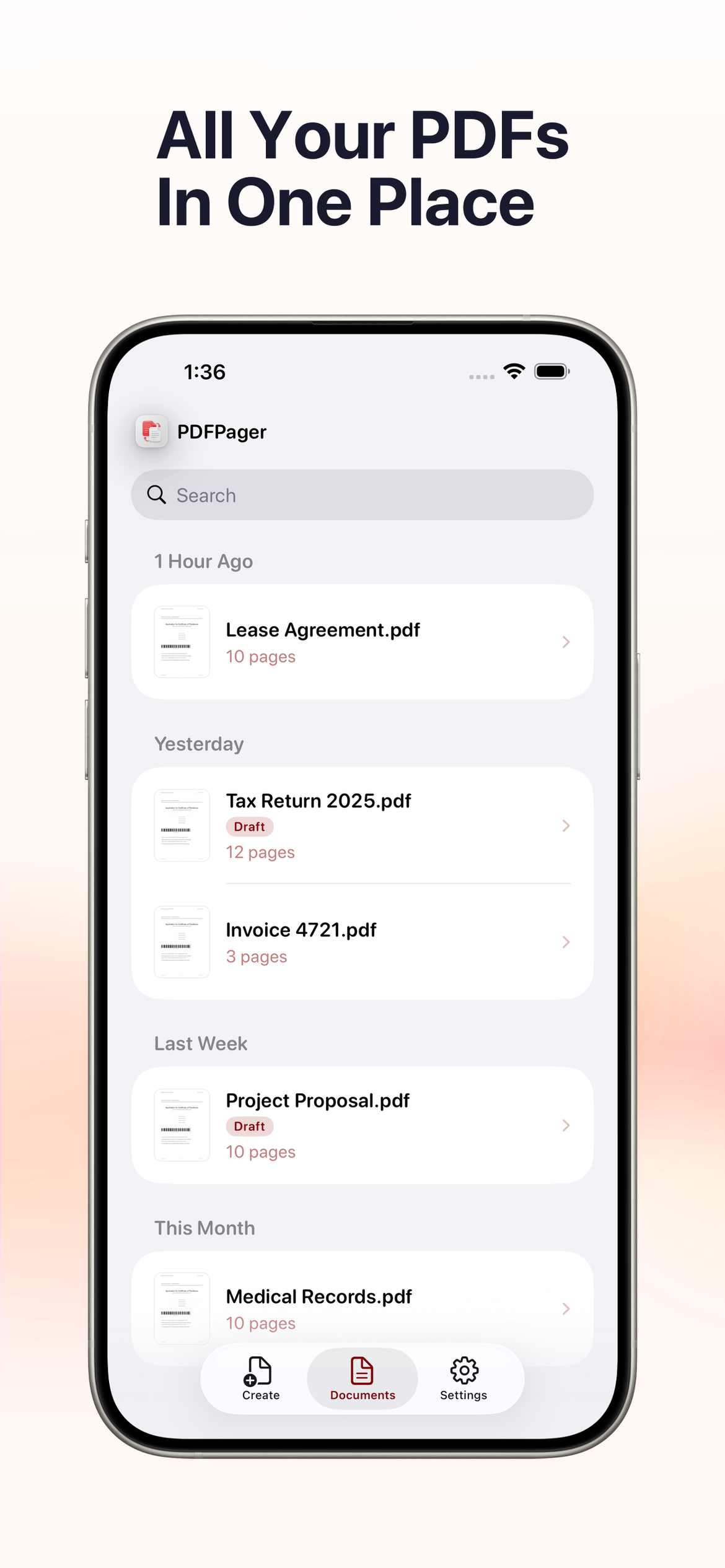
All Your PDFs in One Place

A built-in document library keeps every PDF organized by date. Drafts auto-save so you can pick up right where you left off, even if you get interrupted.

All Your PDFs in One Place

Edit Every Detail

Update title, author, subject, keywords, and dates right inside the app. Keep your PDFs professional and perfectly tagged for easy searching later.


Edit Every Detail