Life Utility Apps Life Utility Apps
Ringaroo - Ringtone Maker — Any Song, Your RingtoneRingaroo - Ringtone Maker — Trim It with a Visual WaveformRingaroo - Ringtone Maker — Build Your Ringtone LibraryRingaroo - Ringtone Maker — Set It as Your RingtoneRingaroo - Ringtone Maker — Private, Offline, and Ad-Free
Ringaroo icon

Ringaroo

Productivity
Download Ringaroo on the iOS App Store

Any Song, Your Ringtone

Turn any song, voice memo, or sound into a custom iPhone ringtone — trimmed, faded, and exported right on your phone. No account, no uploads.

Any Song, Your Ringtone

Import audio from Files, AirDrop, or any app — MP3, AAC, M4A, WAV, AIFF, and FLAC — and get straight to trimming a ringtone that sounds like you.

Any Song, Your Ringtone

Trim It with a Visual Waveform

Drag the handles, pinch to zoom, and see exactly where every beat lands. A live 30-second counter, loop preview, fade in/out, normalize, and gain keep the clip ringtone-ready.

Trim It with a Visual Waveform

Build Your Ringtone Library

Every ringtone you make lands in a searchable library, sorted by Recents and reusable Presets — so you can re-export a favorite in seconds, even weeks later.

Build Your Ringtone Library

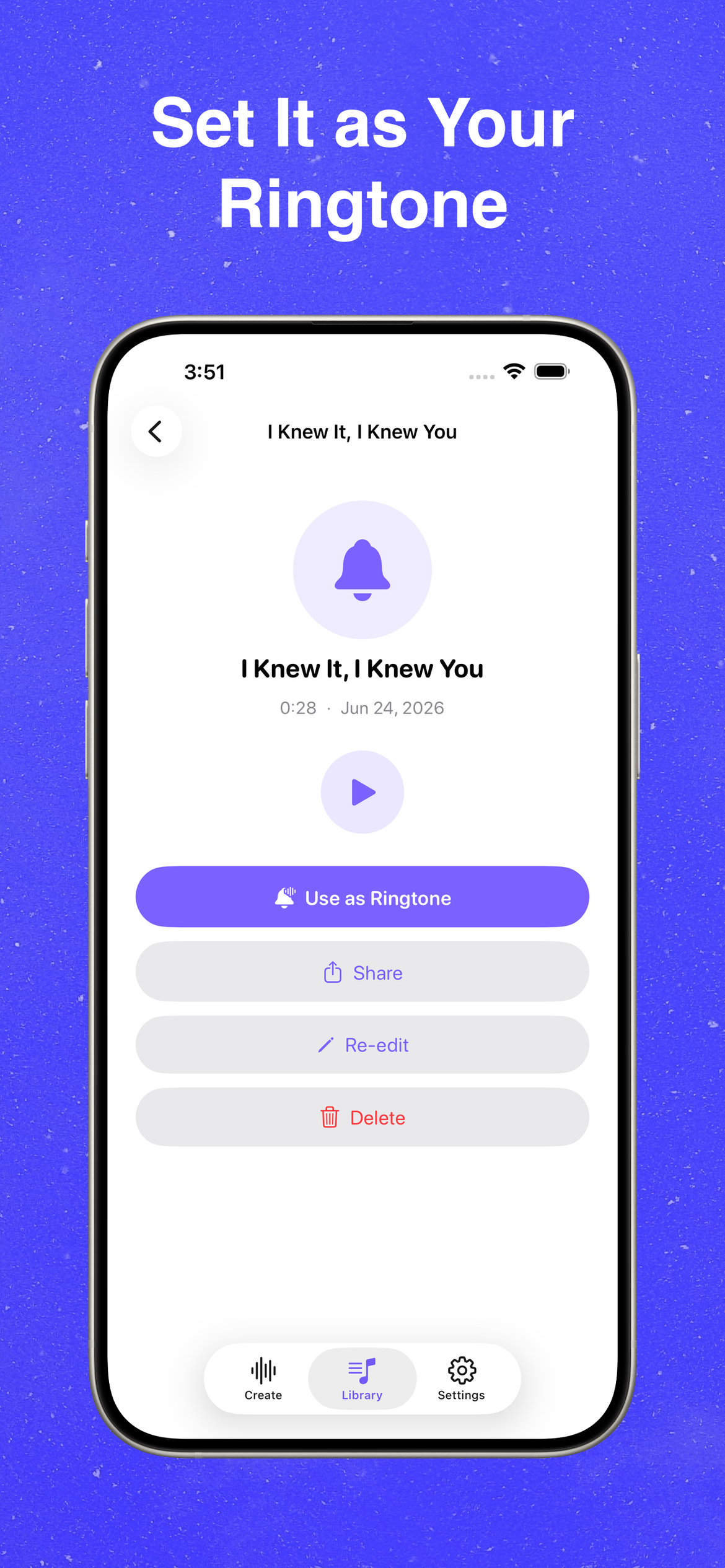
Set It as Your Ringtone

Tap Use as Ringtone and follow the built-in guide to drop the .m4r into Files. Play it back to check, share, re-edit, or delete — everything you need in one screen.

Set It as Your Ringtone

Private, Offline, and Ad-Free

Everything runs on-device — no account, no uploads, and fully offline. Pick your theme, accent color, and language, lock the app with Face ID, and upgrade to Pro whenever you like.
Private, Offline, and Ad-Free